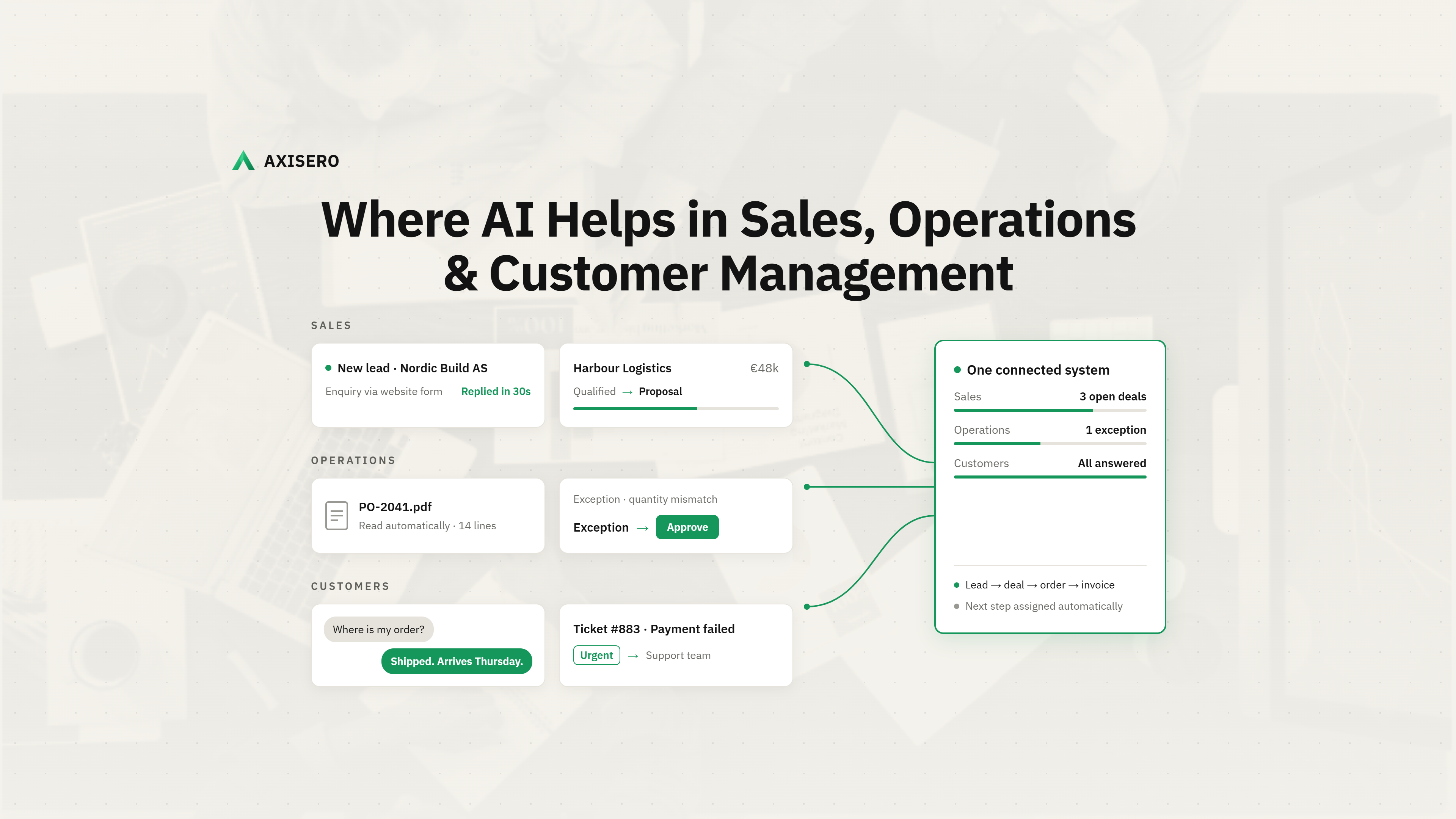
AI helps most where work is repetitive, rule-based and slow: replying to leads, entering CRM data, processing orders and triaging customer requests. Here are 12 practical use cases across sales, operations and customer management, what stays human, and how to start without wasting budget.
AI helps most where work is repetitive, rule-based and slow: replying to leads, entering CRM data, processing orders and triaging customer requests. Here are 12 practical use cases across sales, operations and customer management, what stays human, and how to start without wasting budget.
Where AI Can Help in Sales, Operations and Customer Management
Short answer: AI helps most where work is repetitive, follows clear rules and slows your team down. In sales, that means replying to leads instantly, qualifying them and keeping the CRM up to date. In operations, it means reading orders and documents, routing exceptions and reporting. In customer management, it means answering routine questions, triaging requests and giving staff the full customer history in seconds. People should still approve prices, promises and anything unusual.
This guide covers 12 practical use cases across the three areas, what each one does, where people stay in charge, and what to measure. It ends with a simple way to start that avoids the most common, expensive mistakes.
Most businesses have already tried AI. Very few have made it work across the business.
The gap between those numbers is the point of this article. AI pays off when it is aimed at a specific, measurable job inside a connected system. It fails when it is bolted on as a feature with no clear owner.
Sales is usually the fastest place to see results, because slow follow-up and manual data entry cost deals every week.
AI replies to a new enquiry within seconds, by email, web chat or WhatsApp, asks two or three qualifying questions and books a call into the right person’s calendar. Speed matters: in a study of 1.25 million leads, companies that responded within an hour were 7 times more likely to qualify the lead than those that waited longer, and over 60 times more likely than those that waited 24 hours (Harvard Business Review). See it in our WhatsApp and Telegram lead agent demo.
AI reads each enquiry, company website and past conversations, then sorts leads by fit and urgency. Your team works the hottest leads first instead of the newest ones.
After every call or email, AI logs the notes, updates the deal stage and drafts the next follow-up for the rep to approve. This admin is a big part of that non-selling time, so it is often where AI saves the most hours.
AI builds a first draft of a quote or proposal from the deal details, your price list and past proposals, so the rep starts from a solid draft rather than a blank page.
Operations work is full of documents, handoffs and exceptions. AI is good at the reading and sorting; people stay responsible for the decisions.
AI reads incoming orders, purchase orders, invoices and delivery notes from email or PDF and enters the data into your system, flagging anything missing or unclear.
Routine cases move automatically, and anything unusual (a price mismatch, a late shipment, a missing document) is sent to the right person with the context and a suggested action. In one of our logistics projects, this approach cut order-handling cost by 72%, with every exception approved by a person in Slack.
AI turns field reports, photos and voice notes from site teams into structured updates, assigns follow-up tasks and keeps project timelines current.
Instead of someone building the weekly report by hand, AI pulls numbers from your system, writes a plain-language summary and highlights what changed, such as stock running low or a project slipping.
Customers want fast, correct answers. AI can deliver the fast part for routine questions, and help your team deliver the correct part for everything else. Learn more about our conversational AI work.
AI answers common questions (order status, opening hours, how to book, where an invoice is) instantly, using your own data and policies, on the channels customers already use.
AI reads each request, works out what it is about and how urgent it is, and sends it to the right team with a summary, instead of everything landing in one shared inbox.
Before a call or reply, AI summarises the customer’s orders, open issues and past conversations in a few lines, so staff never ask a customer to repeat themselves.
AI spots signals that a customer needs attention, such as a delayed delivery, an unpaid invoice or a drop in orders, and prompts your team to act before the customer complains.
Knowing where not to use AI saves as much money as knowing where to use it. Keep a person in charge of:
Often the right answer is not AI at all. A simple rule-based automation is cheaper and more reliable for many tasks. We explain the difference in simple automation vs AI agent and when not to build an AI agent.
The businesses that get value from AI follow a similar pattern. They start small, on one painful workflow, inside a system that already holds their data.
Pick one workflow that costs the most hours. Ask your team which repetitive task they would happily never do again. That is usually the right first target.
Put the data in one place. AI is only as good as the data it can see. If leads live in a spreadsheet, orders in email and customers in an accounting tool, connect them first in a CRM or ERP built around how you work.
Design the human approval step. Decide what the AI can do alone, what it suggests for approval, and what it must hand over.
Measure one number for 30 days. Response time, hours saved or cost per order. If the number does not move, change the approach before scaling it.
This is how we scope every project at Axisero: one workflow, one connected system, one clear measure of success.
Want to find your first workflow? Book a free 30-minute audit. We will look at how your sales, operations and customer work flows today and show you where AI, or a simpler automation, would save the most time.
How can AI help in sales?
AI helps sales teams respond to leads instantly, qualify and score them, log notes and update the CRM automatically, and draft follow-ups and quotes. The biggest gain is time: reps spend about 70% of their time on non-selling work, much of which AI can reduce.
How is AI used in business operations?
In operations, AI reads orders and documents, enters data into business systems, routes exceptions to the right person for approval, turns field updates into structured records and produces plain-language reports and early warnings.
Can AI replace customer service staff?
Not fully. AI can resolve many routine questions, and Gartner expects it to handle 80% of common issues by 2029. Complex, sensitive or unusual cases still need people, and AI works best when it hands those over with full context.
Is AI worth it for small businesses?
Yes, when it targets one specific, time-consuming task and the business data is organised in one system. Small businesses often see results faster than large ones because they have fewer systems to connect.
Why do AI projects fail?
Gartner predicts over 40% of agentic AI projects will be cancelled by the end of 2027, mainly due to rising costs, unclear business value and weak risk controls. The usual root cause is starting with the technology instead of a clearly measured business problem.
What is the first step to using AI in my business?
Pick the one repetitive workflow that costs your team the most hours, make sure its data lives in one system, decide what needs human approval, and measure one result for 30 days before expanding.